

thrive at work/AI burnout
Guide · AI and capacity
AI burnout: when faster work wears people down.
AI promises lighter workloads. In many teams it has brought higher targets, more review and new worries about jobs. Here is how AI can feed burnout, and how to stop it.
By Jerry Fiser, Founder & CEO · Reviewed by Marcin Bulik, Research Director · Updated November 8, 2026
What is AI burnout?
AI burnout is burnout in which AI is part of the cause: workloads that rose when AI arrived, long hours checking AI output, pressure to keep up with new tools, or worry about being replaced. The result is the same as other burnout: exhaustion, distance from the job and reduced effectiveness. It is preventable when employers measure capacity, not only adoption.
- AI burnout is ordinary burnout with AI among its causes.
- The main routes are higher targets, constant review, tool overload and job insecurity.
- 77% of employees using AI told Upwork researchers the tools had added to their workload.
- Prevention starts with workload, not wellbeing perks.
- Track energy, recovery and focus by team during every AI rollout.
What AI burnout means.
Burnout is not new. The World Health Organization describes it as the result of chronic workplace stress that has not been managed, with three dimensions: exhaustion, mental distance or cynicism about the job, and reduced professional effectiveness. "AI burnout" is a shorthand for burnout where AI has become part of that chronic stress.
The label matters less than the mechanism. AI can either remove load or add it. When it adds load and nobody notices, the familiar path to burnout runs faster.
Four routes from AI to burnout.
- 1Targets rise first. Leaders bank expected gains before they are real, so people work longer to hit the new numbers.
- 2Doing becomes reviewing. Supervising AI output all day is tiring, and mistakes still carry the person's name.
- 3Tool overload. New assistants, features and rules arrive faster than people can learn them.
- 4Job insecurity. Worry about being replaced keeps people quiet about strain and working harder to prove their value.
What the evidence shows.
In a 2024 survey of 2,500 executives, employees and freelancers by the Upwork Research Institute, 96% of C-suite leaders said they expected AI to raise productivity. Among employees who used AI, 77% said the tools had added to their workload, and 47% said they did not know how to achieve the gains expected of them.
In 2026, BCG research published in Harvard Business Review surveyed 1,488 workers and found that heavy AI use was linked to more errors, decision overload and a stronger intent to quit. The authors called the pattern "AI brain fry". It is the early stage of the same exhaustion that defines burnout.
From AI fatigue to AI burnout.
Not everyone who is tired after a day of AI work is burning out. AI fatigue is a state that rest fixes. It turns into burnout when it becomes the normal week: no recovery, no end to new tools, and no sign that anyone has noticed. The difference is time and control. Short bursts of strain are survivable. Months of strain with no say over the pace are not.
Why engaged people burn out first.
The people most excited about AI are often the ones who take on the most of it. They experiment in the evening, become the go-to helper for colleagues and absorb the extra review. thrive research shows that employees who are highly engaged but burning out lose three times as many days to not working effectively. High engagement can hide low capacity, which is why the engagement and burnout paradox matters in every AI rollout.
Warning signs of AI burnout in a team.
| Signal | Where to look |
|---|---|
| Longer hours since the rollout | Calendar data, late messages, overtime |
| More small mistakes | Rework, corrections, quality checks |
| Cynical talk about tools or leaders | Meetings, open survey comments |
| Falling energy and focus scores | Pulse surveys by team |
| Short-term absence rising | Absence data by team |
| Quiet quitting of the tool | Low real use despite high reported use |
Read the signals together. One late night is normal. Rising hours, more errors and falling energy in the same team is a pattern.
How to prevent AI burnout: steps for employers.
- 01Measure before you roll out. Get a baseline for energy, focus, recovery and workload by team.
- 02Remove tasks, not just add tools. Every rollout should name the work that stops.
- 03Set targets after the gains. Raise expectations only once the time saved is measured.
- 04Limit the number of tools. One or two approved assistants, not one per department.
- 05Train in work time. Learning squeezed between deadlines adds strain.
- 06Talk openly about jobs. Say what will change and what will not. Silence feeds worry.
- 07Protect recovery. No expectation of replies outside working hours, AI-drafted or not.
- 08Re-measure every quarter. Compare teams to their own baseline and act where capacity falls.

What managers should watch.
Managers see AI burnout first, often without recognizing it. Watch for the strongest performer who suddenly makes small errors, the team that stops pushing back on deadlines, and the person who answers messages at all hours since getting a new assistant. A short conversation about workload, and one task removed, usually helps more than a wellbeing webinar.

If you feel AI burnout yourself.
Write down what AI added to your week and what it removed. Take the list to your manager and ask which tasks matter most. Batch AI work, close tools when you need to think, and protect real breaks. If exhaustion lasts or affects your health, speak to a doctor; burnout is not something to push through.
How to measure AI burnout risk by team.
Burnout builds slowly and shows up late in turnover and absence data. Earlier signals come from asking people about their energy, recovery, focus and resilience, by team, on a regular rhythm. thrive at work reads those capacity scores next to engagement, so you can see teams that are committed but running low, the group most at risk during an AI rollout. See how to prevent employee burnout for the wider playbook.
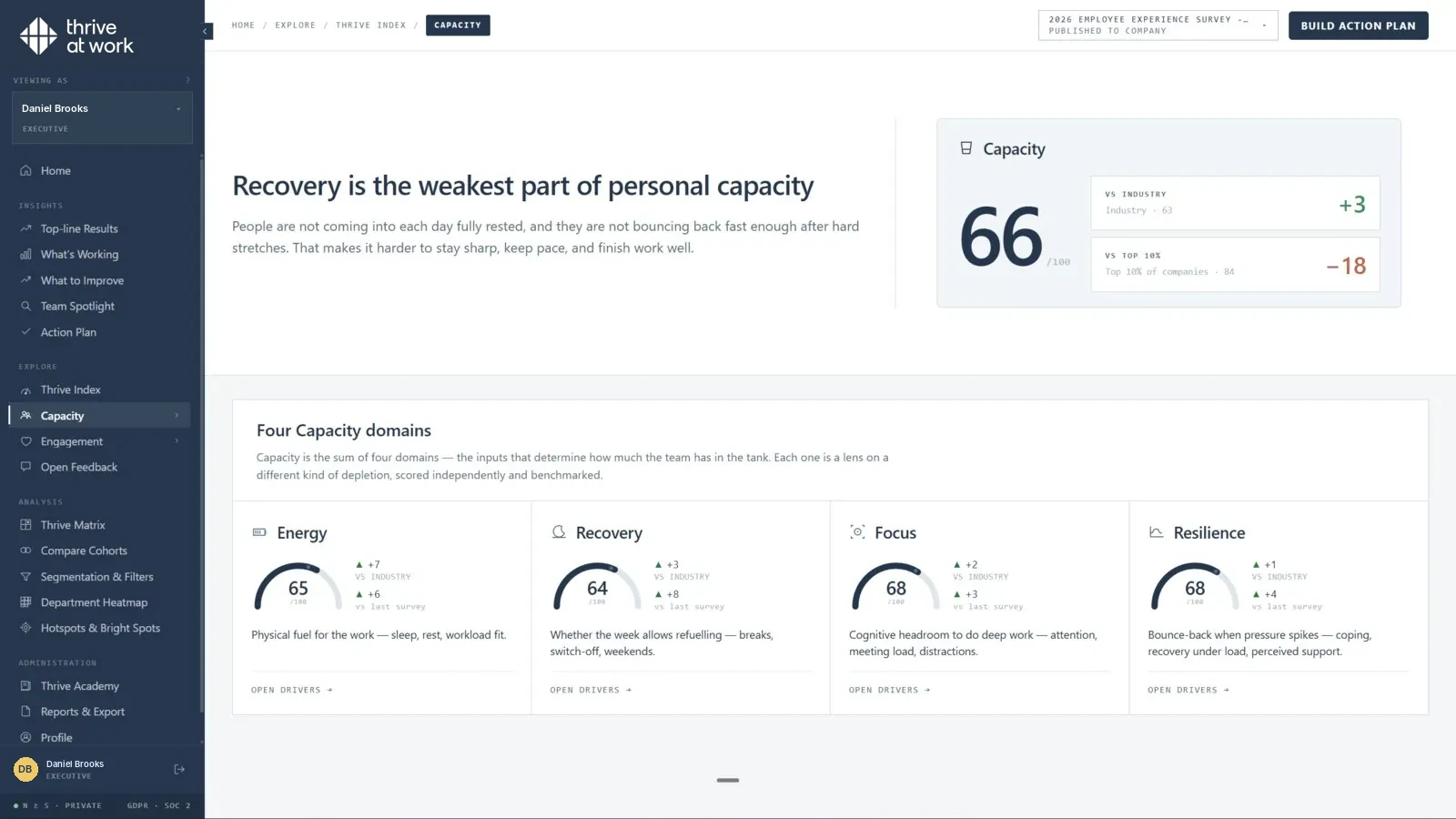
thrive at work measures engagement (purpose, leadership, connection, growth) and capacity (energy, recovery, focus, resilience) in one anonymous assessment: see how the assessment works.
AI rollouts are judged on adoption and output. thrive at work is a workforce performance platform: an employee engagement platform that also measures capacity to perform, meaning energy, recovery, focus and resilience, by team. That shows whether AI is giving people time back or quietly adding load. Read more about employee capacity.
Sources.
- World Health Organization. www.who.int
- Upwork Research Institute. www.upwork.com
- BCG research published in Harvard Business Review. www.bcg.com
- thrive index validation study. thrive at work, 2025–26. Methodology.
Common questions
Can AI cause burnout?
What are the signs of AI burnout?
Does AI reduce or increase workload?
How can employers prevent AI burnout?
Is AI burnout different from regular burnout?

Spot AI burnout risk before people leave.
A 30-minute call covers how capacity tracking works during an AI rollout.